Desktop mastering

Your mix, ready for release.

Qsounder masters your finished mixes on your own computer. Your audio never leaves it.

Free to try · macOS (Apple silicon) and Windows (x64)
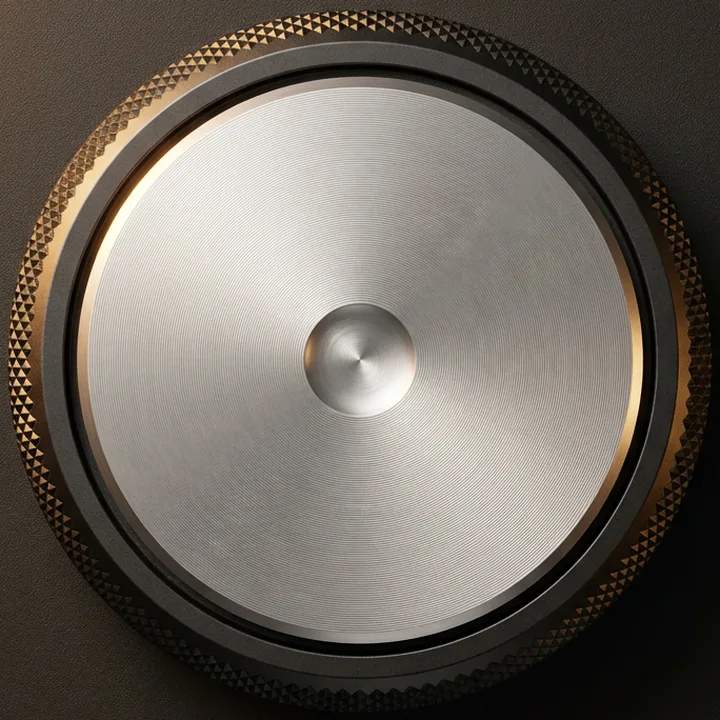
LoudnessDemo · no audio
Target  −14.0LUFS
peaks no higher than −1.0 dBTP
Turn the knob: drag it, use −1 / +1, the arrow, Page and Home / End keys, or click it and scroll. A demo of the app’s loudness knob and meters — no audio plays.
How it works

Three steps from mix to master.

The same three as the app’s own tabs: Tracks, Sound, Export.

  1. Tracks

    Add mixes, choose a target

    Drop finished mixes onto the window and pick a loudness profile, a reference track, or both. Then make the masters.

  2. Sound

    Listen and adjust

    Hear your file and the master at the same loudness. Nudge Low, Mid and High, or the loudness, and apply.

  3. Export

    Write every format

    Enter the metadata once and export WAV, AIFF, FLAC and MP3 320 in one pass.

Tracks

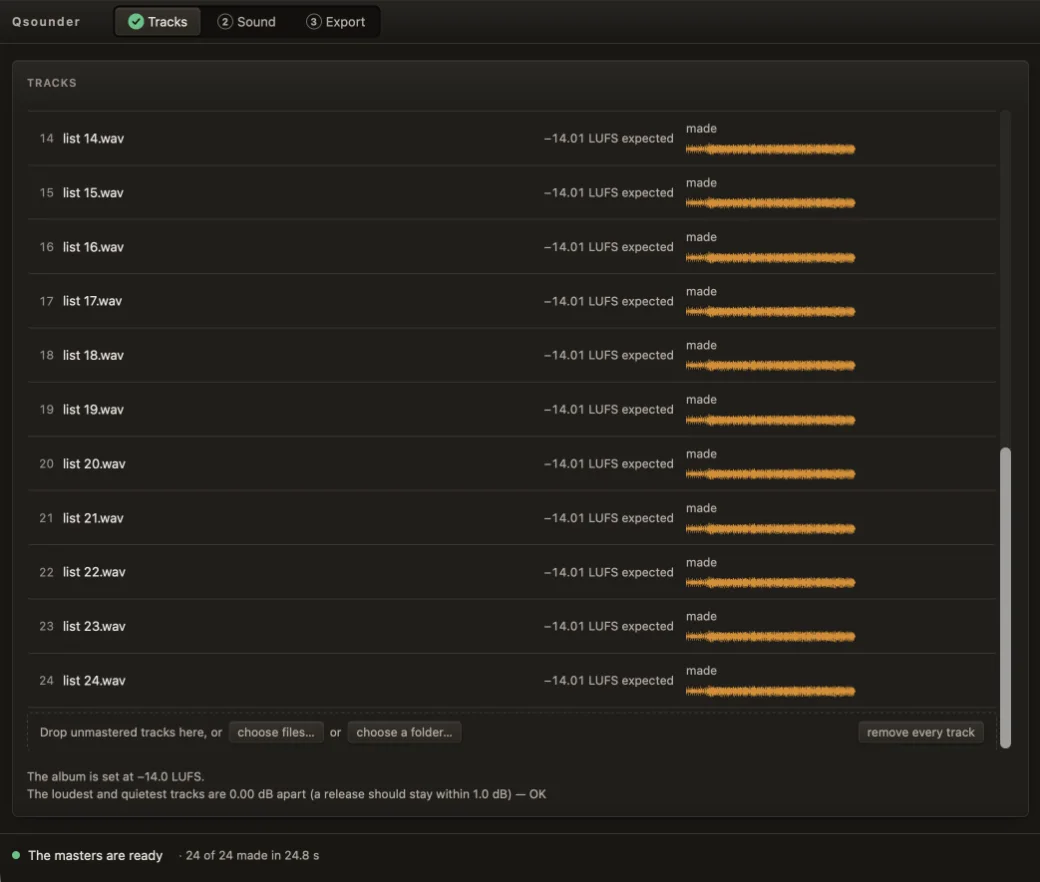
Every track in the list, made to one target.

Drop finished mixes, or a whole folder. Pick a loudness profile, a reference track, or both, then make the masters.

  • Profile

    A loudness profile, such as streaming at −14 LUFS.

  • Reference

    The master takes its loudness and tone balance, not how it was produced.

  • Both

    A profile and a reference together.

The Qsounder Tracks view with 24 tracks made, the list scrolled to its end: rows 14 to 24, each with its loudness (−14.01 LUFS expected), «made» and its waveform; the drop row with «choose files…», «choose a folder…» and «remove every track»; «The album is set at −14.0 LUFS» and «The loudest and quietest tracks are 0.00 dB apart (a release should stay within 1.0 dB) — OK»; and the status line: The masters are ready, 24 of 24 made. The Qsounder Tracks view with 24 tracks made, the list scrolled to its end: rows 14 to 24, each with its loudness (−14.01 LUFS expected), «made» and its waveform; the drop row with «choose files…», «choose a folder…» and «remove every track»; «The album is set at −14.0 LUFS» and «The loudest and quietest tracks are 0.00 dB apart (a release should stay within 1.0 dB) — OK»; and the status line: The masters are ready, 24 of 24 made.
Tracks, with 24 tracks made. Several tracks at once are in Ultimate. Scroll sideways to see the whole window.
Sound

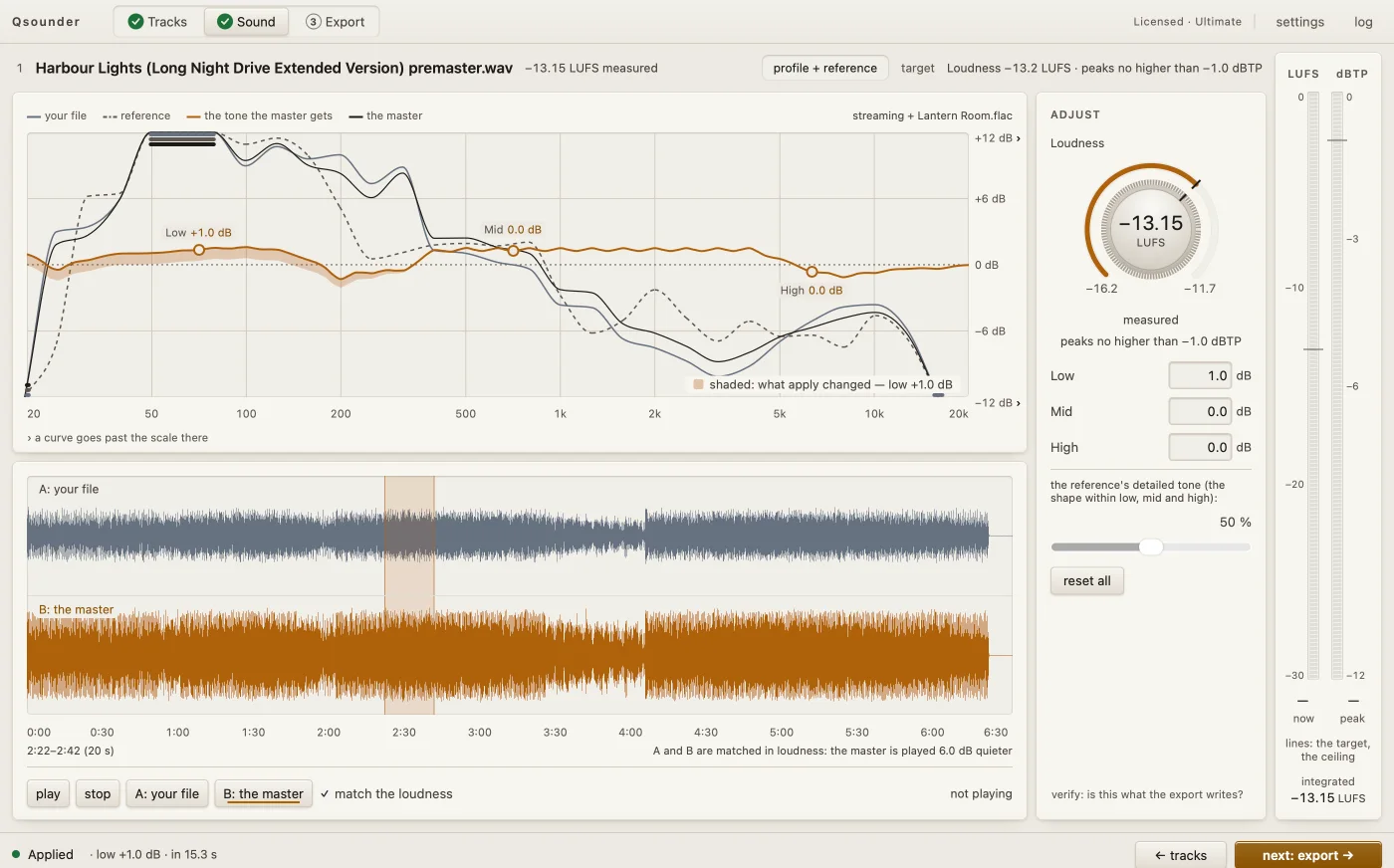
Hear the master beside your mix, at the same loudness.

A/B is loudness-matched, so you hear the processing — not just “it got louder”.

The Qsounder Sound view after one apply, for «Harbour Lights (Long Night Drive Extended Version) premaster.wav» on profile + reference: the frequency graph with your file, the reference, the tone the master gets and the master, Low at +1.0 dB and Mid and High at 0.0 dB, the shaded area of what apply changed; the waveforms of your file (A) and the master (B), matched in loudness; the Adjust panel with the loudness knob at −13.15 LUFS and peaks no higher than −1.0 dBTP; the LUFS and dBTP meters; and the step bar: Applied, ← tracks, next: export →. The Qsounder Sound view after one apply, for «Harbour Lights (Long Night Drive Extended Version) premaster.wav» on profile + reference: the frequency graph with your file, the reference, the tone the master gets and the master, Low at +1.0 dB and Mid and High at 0.0 dB, the shaded area of what apply changed; the waveforms of your file (A) and the master (B), matched in loudness; the Adjust panel with the loudness knob at −13.15 LUFS and peaks no higher than −1.0 dBTP; the LUFS and dBTP meters; and the step bar: Applied, ← tracks, next: export →.
Qsounder 1.0, Sound, after one apply. Scroll sideways to see the whole window.
  • A / B

    Your file and the master, at the same loudness.

  • Low · Mid · High

    Three points on the graph you can nudge, in 0.5 dB steps.

  • Loudness

    One knob for the master’s loudness, in LUFS.

  • Ceiling

    A true-peak ceiling: peaks no higher than −1.0 dBTP on the streaming profile.

  • Meters

    LUFS and dBTP meters, live while you listen.

Export

A whole release, kept within 1 dB.

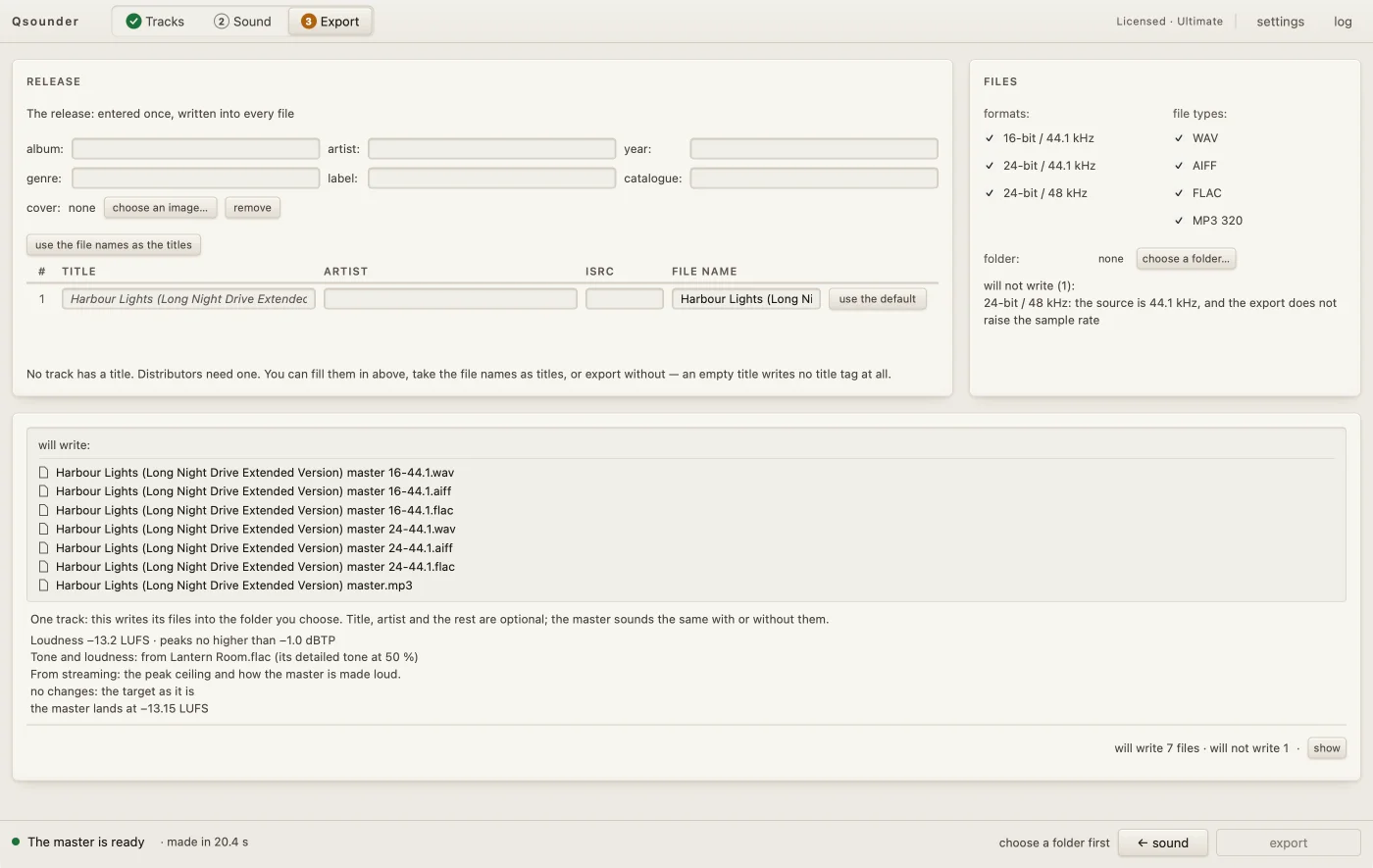
Several tracks mastered as one release. Enter the metadata once; every format comes out in one pass.

  • Metadata once

    Album, artist, ISRC and cover, written into every file.

  • Formats

    WAV, AIFF, FLAC and MP3 320.

  • One pass

    16-bit/44.1, 24-bit/44.1 and 24-bit/48 — every format at once.
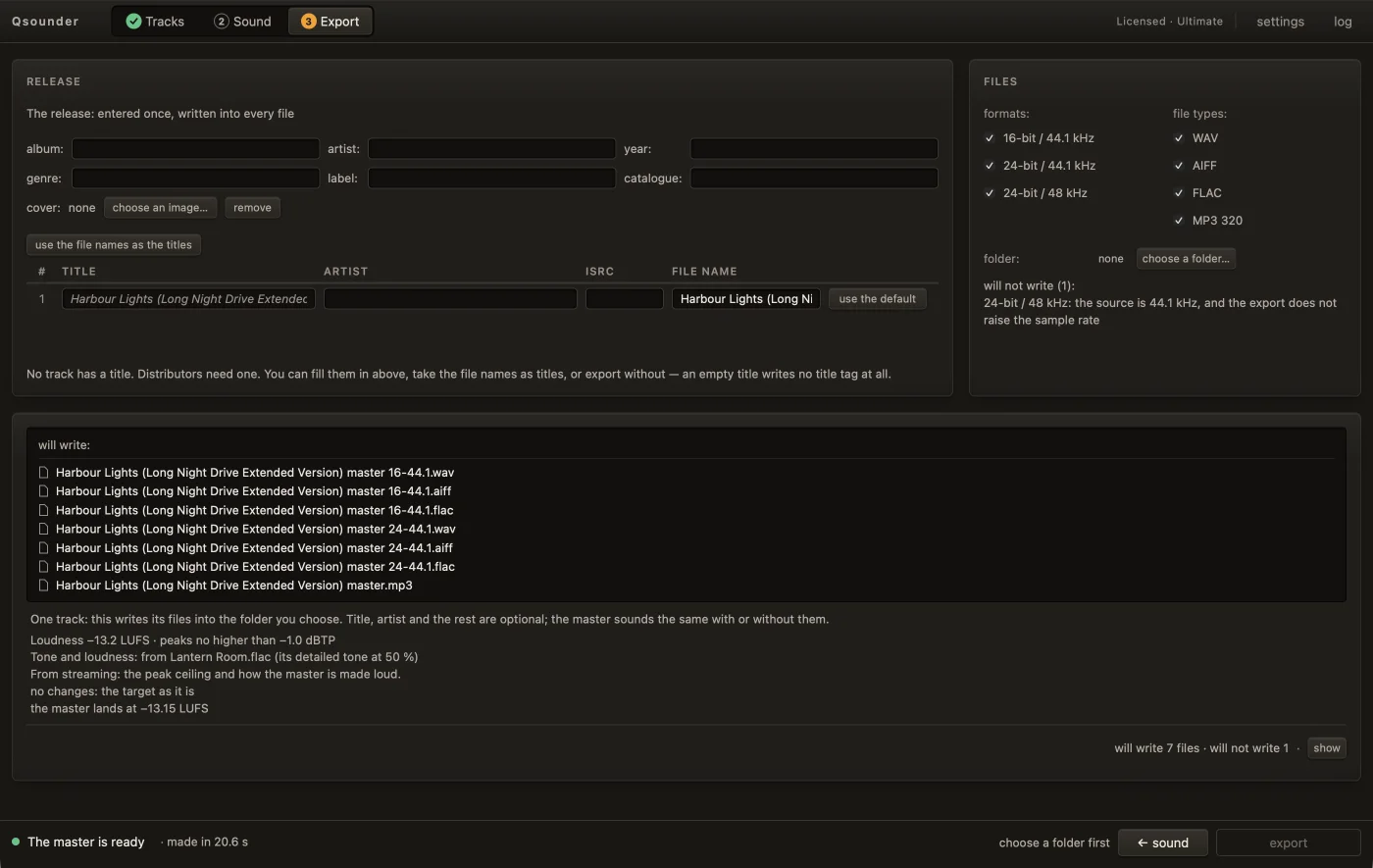
The Qsounder Export view with one master made: the release fields entered once (album, artist, year, genre, label, catalogue, cover), the title, artist, ISRC and file name of the track; Files with three formats and four file types and «will not write (1)»; the list of the seven files the export will write; and the step bar: The master is ready, ← sound, export. The Qsounder Export view with one master made: the release fields entered once (album, artist, year, genre, label, catalogue, cover), the title, artist, ISRC and file name of the track; Files with three formats and four file types and «will not write (1)»; the list of the seven files the export will write; and the step bar: The master is ready, ← sound, export.
Export, with one track made. Releases of several tracks are in Ultimate. Scroll sideways to see the whole window.

Your audio never leaves your computer.

Qsounder masters on your Mac. Nothing you load into it is uploaded — no mixes, no masters, no file names.

The licence check sends your key, a device id, the name you give the computer, the OS version and the app version. No email, no audio, no file names. No account.

How the licence works

Plans

Try everything free. Pay for full length.

Billing period

Free

To try everything

$0

Every feature to try. Exports a preview (the middle half of each track).

  • Every target, A/B, the knob, Low / Mid / High, the meters
  • One track at a time
  • Previews have short fades at both ends

Basic

For singles

$20/ month

$200/ year2 months free — 10 × $20

Full-length masters, one track at a time.

  • Full-length WAV, AIFF, FLAC and MP3 320
  • One track at a time
  • One licence on two computers

Both take card, Apple Pay, Google Pay and PayPal, through two different resellers — pick either. If one does not work in your country, use the other.

Ultimate

For EPs, albums and labels

$30/ month

$300/ year2 months free — 10 × $30

Full-length masters and whole releases.

  • Everything in Basic
  • Several tracks as one release, kept within 1 dB
  • Metadata once for every file: album, artist, ISRC, cover

Both take card, Apple Pay, Google Pay and PayPal, through two different resellers — pick either. If one does not work in your country, use the other.

Prices in US dollars. Every plan exports WAV, AIFF, FLAC and MP3 320 at 16-bit/44.1, 24-bit/44.1 and 24-bit/48 — every format in one pass. Yearly is 10 months’ price for 12 months.

Compare the plans in detail